Choose the candle and warning.
Select M1, M5, M15, M30, H1, H4 or D1. Set the alert for T−5, T−10, T−30 or your own offset.
BarClock is a candle close timer for M1 through D1. Set your broker GMT offset once, then get an alert before the H4 or daily close shown on your chart.
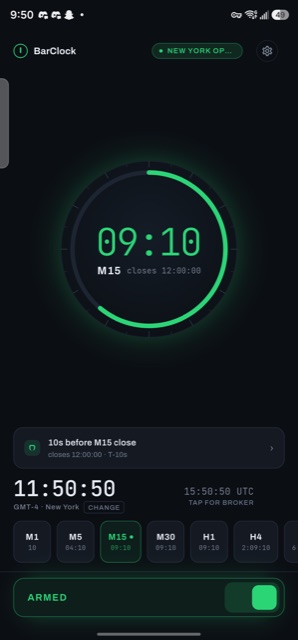
Set the timeframe and the number of seconds you want. BarClock counts down on your phone and alerts you before the boundary, so you can follow price without watching a timer.
Select M1, M5, M15, M30, H1, H4 or D1. Set the alert for T−5, T−10, T−30 or your own offset.
Stay on your chart, notes or order ticket. The core timer runs on your phone without a broker login or price feed.
Use sound, vibration, a final-ten-second haptic tick, a screen flash or a voice countdown.
Your H4 and D1 candle alerts follow
the broker offset you set.
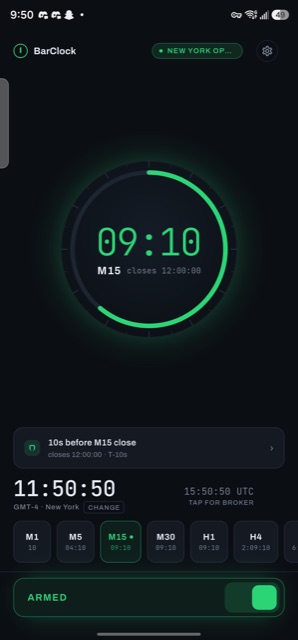
Arm one alert and open the full-screen ring. Keep the display awake, add a haptic tick for the final ten seconds and choose the sound that gets your attention.
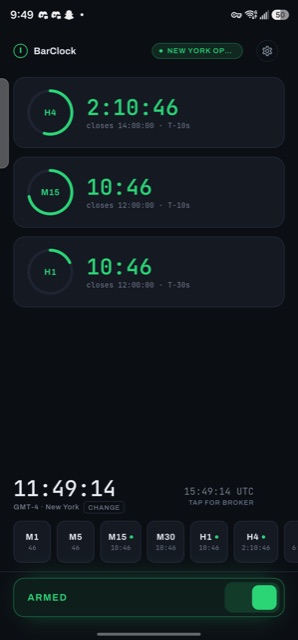
Run several countdowns together and give each timeframe its own alert offset. The three-up stack shows which candles close next.
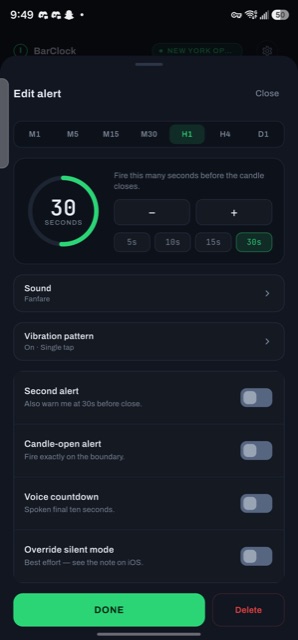
Use T−30 for the first alert and T−5 for the final call. Choose one of ten built-in sounds, import your own audio, set a vibration pattern or turn on the voice countdown.
T−10 fires ten seconds before the boundary you set, from an M1 candle to the daily close.
Android notifications can alert you while your phone is locked and the screen is off.
The timer needs no broker login, price feed or account. Your alert settings stay on your phone.
Free includes one timeframe and one alert per candle. Pro runs every timeframe and adds a second alert, voice countdown, custom sounds and session filters.
*Yearly free trial is available to new customers. Prices shown in USD; Google Play may display a converted local price.
No. BarClock calculates candle boundaries from the clock. The core timer needs no broker login, account, API key or price feed. It uploads no alert settings.
Yes. BarClock uses the Android notification channel for alerts while your phone is locked and the screen is off. Keep-screen-awake mode can also turn your phone into a desk countdown.
Set your broker's GMT offset once and H4 and D1 anchor to your broker day, so the daily close lands exactly where your charts draw it.
Free includes one timeframe, one alert per candle, the core sounds and two themes. It requires no card. Pro adds every timeframe, two alerts per candle, voice countdown, custom vibration and imported sounds.
Yes, when your chart uses M1, M5, M15, M30, H1, H4 or D1 candle boundaries. Set the broker GMT offset for H4 and D1. BarClock reads the clock, so it does not need your market or price feed.
Both. Available now on Google Play; the iOS build is on its way to the App Store, with the same engine and privacy model.
No. BarClock gives timing alerts. It holds no positions, accesses no market data and gives no trading advice.
Monthly Pro costs $4.99 and can be cancelled at any time. Yearly Pro costs $29.99 and includes a 7-day free trial for new customers. Google Play renews subscriptions unless you cancel at least 24 hours before the period ends. Lifetime is a one-time $49.99 Founder launch price; the planned regular price is $59.99. Google Play may convert USD prices for your country.
Install the free candle timer. Upgrade when you need every timeframe armed at once.
Send your feature request, billing question or bug report to the support team.
BarClock is a timing tool. It gives no trading advice, holds no positions and sees no market data. Trading carries risk; decisions are your own.